Version and remote assistance
The label of DeepUnity PACSonWEB can be displayed by clicking on About DeepUnity PACSonWEB from the Help menu  on the top right of the screen.
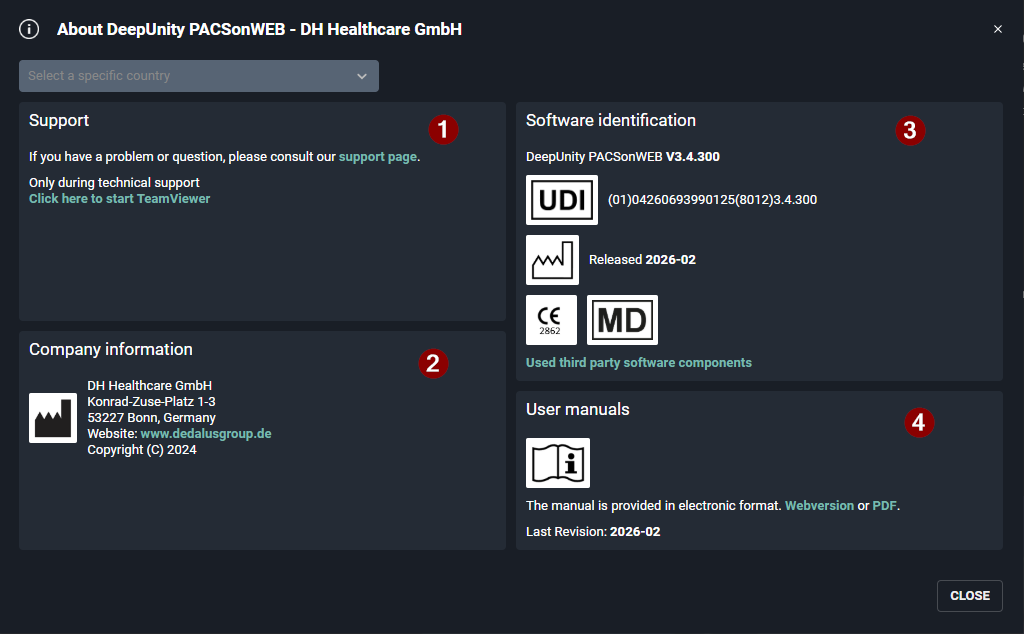
on the top right of the screen.Within this screen the following information is displayed:
(1) Link to our support page with frequently asked questions and answers.
(2) All information with respect to the manufacturer of DeepUnity PACSonWEB.
(3) All information with respect to the actual version of DeepUnity PACSonWEB and the corresponding release date.
(4) All information with respect to the manual for DeepUnity PACSonWEB and the latest revision date.
|
Note |
|

|
Sections (2), (3) and (4) allow the addition of supplementary information. If country-specific information must be added to the About box for a country using DeepUnity PACSonWEB as a medical device, please contact Dedalus Healthcare. If additional information is configured for multiple countries, a drop-down menu will be displayed at the top of the About box, allowing the user to select the desired country.
|
Note | |
| In this screenshot the version number is v3.4.300. |
From the Help menu, you can also
• consult the online user manual
• download the user manual in PDF format
• consult the support page (see below)
• download the DeepUnity PACSonWEB application for multimonitor support
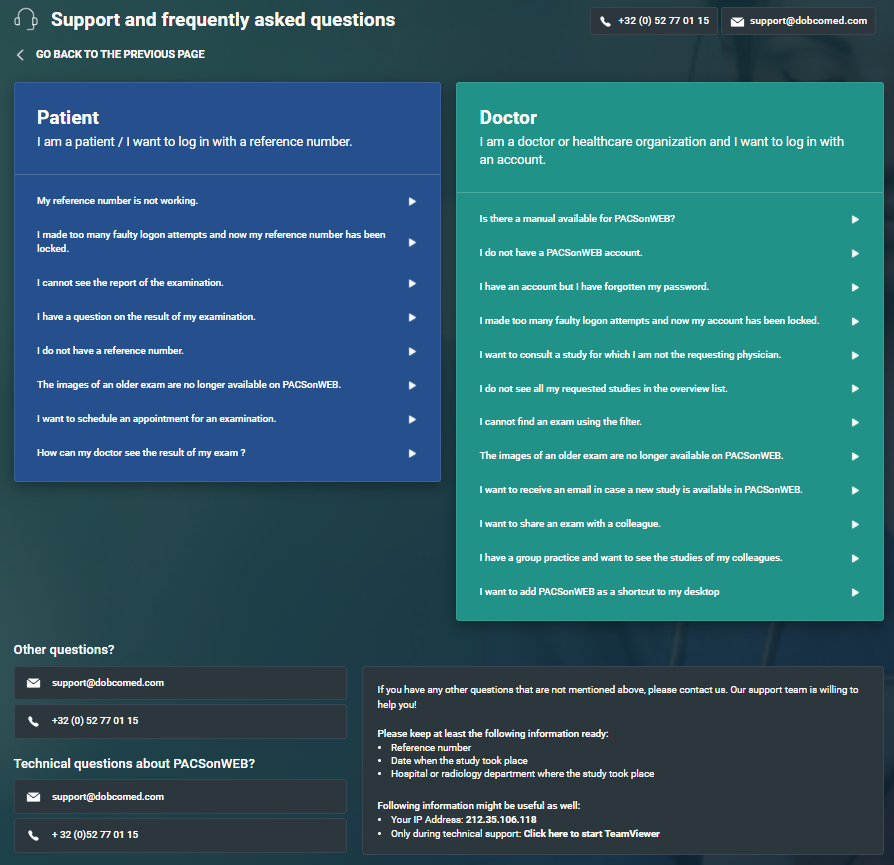
If you experience an issue when using DeepUnity PACSonWEB, you can consult our ‘Support page’.
This page lists the most frequently asked questions and answers.
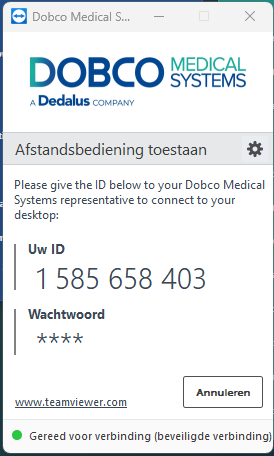
If the answer to your question is not listed, you can let one of our service desk agents control your pc remotely.
Select “Click here to start teamviewer” at the bottom at the section “Other questions or issues?” at the bottom of support page and pass your Team Viewer ID to the support agent.